Wedding photo sharing: collect the day through your guests’ eyes
Your photographer follows the main story. Your guests notice the conversations, reunions and small moments around it. Anı Arşivi helps bring those perspectives into one wedding album through a browser-based guest upload link.
Türkçe rehber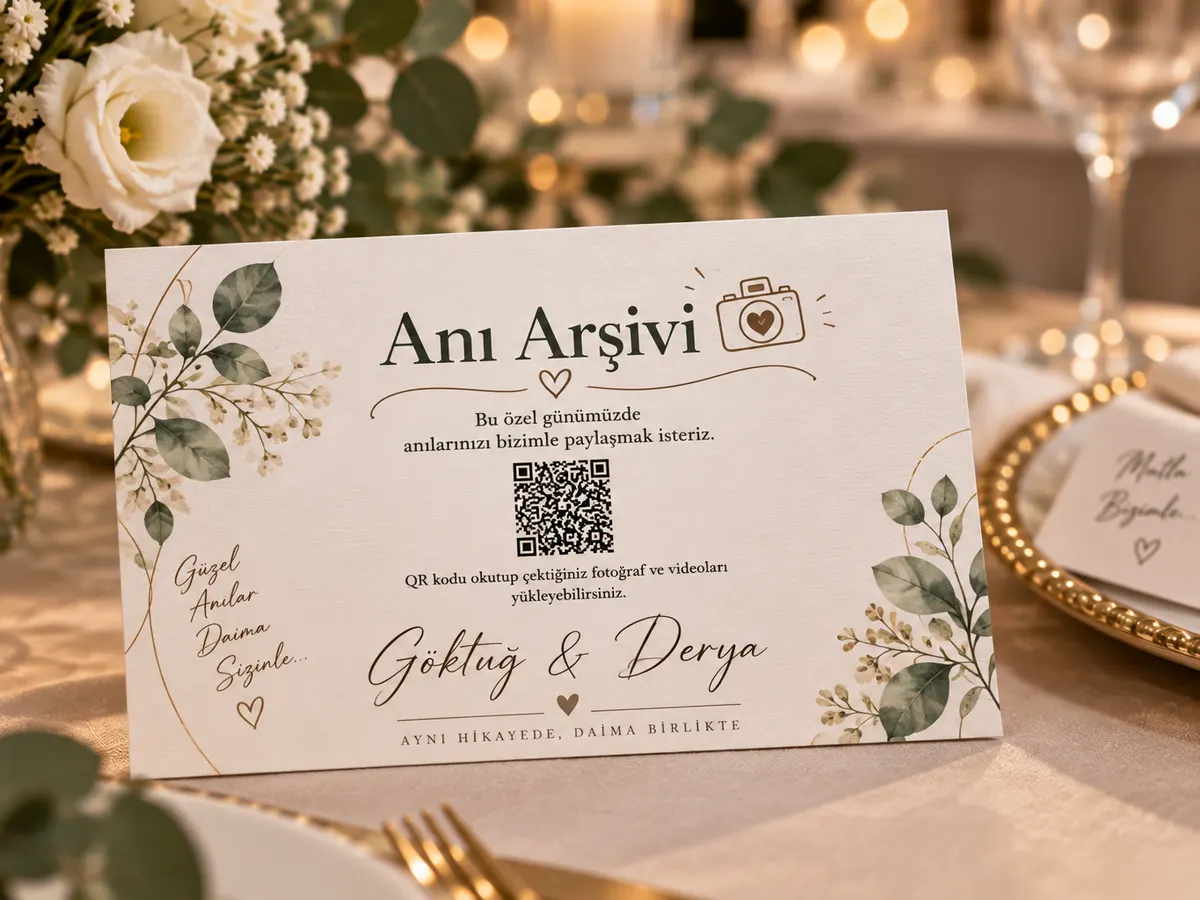
Give guest photography a clear role
A shared wedding album complements professional photography. It should not be presented as a replacement for an agreed photography service, a delivery contract or a photographer’s creative work. Guests are present at different tables and in different conversations. They may capture a reunion before the ceremony or a laugh during dinner that matters to you precisely because it was unplanned.
Explain this purpose when you invite contributions. You are asking for a few memories, not asking every guest to document the entire day. Someone who worries about taking a technically perfect photograph may still have a meaningful image, a short video or a written wish. Let them decide what to share. A smaller collection of personal moments can be more enjoyable to revisit than many nearly identical shots of the same scene.
Plan four moments for collecting photographs
Think about preparations, arrival, the celebration and the day after. During preparations, a direct link sent to a small group may be enough. At arrival, a clearly labelled card introduces the album. During dinner or a natural break, a short announcement can remind guests where to contribute. The next day, a thank-you message gives people time to select photographs without interrupting the celebration.
The same album link can connect these moments when the chosen package covers the relevant dates. Do not assume that everyone saw a card on a different table. Equally, do not turn each part of the wedding into a repeated upload request. Choose a few useful touchpoints and keep the action consistent: open the link, select the memories you want to contribute, and wait for upload completion.
Write a wedding card that answers the guest’s first question
A card should explain what happens after scanning. A heading such as “Share a memory from today” and one sentence about adding photographs or videos is more useful than an unexplained code. Include the couple’s names or event title so the card remains understandable if someone photographs it and opens the link later.
If the invitation also contains codes for venue directions or attendance replies, label each destination clearly. The photo upload code should not be mistaken for another task. Keep enough clear space around it and test the final printed design under the lighting expected at the venue. Decorative details should support the invitation rather than make the code difficult to scan.
Treat a destination wedding as a communication problem
Guests travelling from different places may have different roaming arrangements, languages and expectations about sharing. Send a direct link as well as providing the printed card. Explain that photographs can be uploaded later while the upload window remains active, so weak connectivity does not become a reason to delete or abandon them.
These English pages introduce the service, while the current product and purchase flow are primarily Turkish. Check the live demo with someone representative of your guest group before selecting the service. Do not assume that an English marketing guide means every interface, support interaction or payment option is available in every language or country. Contact the published support address when your event depends on a particular requirement.
Decide who sees the collection
The couple, their families and the wider guest group may have different expectations about visibility. Agree these before sending the link. Review the gallery access code and optional approval settings, and test them from a separate browser. A link can be forwarded, so describe the intended audience even when technical controls are enabled.
Some preparation photographs or images of children may be more private than the group portraits taken during the reception. Give people a clear way to ask for a photograph to be removed. If you later publish a wedding story on social media, treat that as a separate choice from collecting memories for the couple. A contribution to an album is not a blanket marketing permission.
A practical capacity estimate with visible assumptions
Start with three inputs: the number of invited guests, the share you expect to contribute, and the number of files each contributor might send. For example, 120 guests multiplied by an assumed 40 percent participation rate and five files each gives 240 files. This is an illustration, not a measured customer result. Change each assumption to reflect your own event rather than treating the example as a promise.
Repeat the calculation with a higher participation assumption to understand the range. Then consider storage separately. A collection of short photographs and a collection of long videos can have the same file count but very different storage needs. Review sample files from the kinds of phones your group uses. Compare media allowance, storage and access periods together on the packages page. Leave some capacity available for late contributions instead of planning to fill every limit exactly.
Test the entire journey before printing
Print one sample card on the material you intend to use. Place it where a guest would encounter it and scan it with more than one phone. Check the actual event name after opening the link; a sample design must not accidentally send guests to the shared demo. Upload a test file, confirm completion and inspect the gallery visibility. Remove the test content when you are finished.
Try venue Wi-Fi and mobile data separately. Recognising a code is not the same as opening the page, and opening the page is not the same as completing an upload. If connectivity is weak, prepare a direct link guests can use later. A message containing a clickable link is also easier for someone reading on the same phone than an image containing only a QR code. Keep the instruction beside the code short and specific.
Make an archive plan before the access period ends
Name one person who will download and check the finished collection. Set a date before the package access period expires rather than leaving the task until the final evening. After downloading, open files from different parts of the event and play several videos with sound. Keep the complete collection separate from a smaller selection intended for family viewing or publication.
Use clear folder names containing the date and event name. Store a second copy on a separate device or storage service, and periodically confirm that both copies remain readable. The online album is a collection and viewing tool within a defined service period; your long-term archive should not depend on remembering a single temporary link. Tell the people responsible for the event where the approved archive is kept without making private access information public.
Illustrative wedding story
A couple sends the album link to the preparation group, places matching QR cards on reception tables and includes the same link in the next day’s thank-you message. They download the complete collection and make a smaller family selection. This is an example workflow, not a customer testimonial.
Illustrative scenario; not a verified customer testimonial.
Frequently asked questions
Do guests need to install an app?
Guests open the event link in their phone browser. They do not need to install an app or create a guest account. The organiser uses a separate management interface to configure and manage the event.
What does the QR code contain?
The code opens the event address. It does not store the photographs itself. Uploading files, viewing the gallery and downloading the archive are separate steps handled by the service behind that address.
Can guests upload videos?
Video upload is supported alongside photographs. When choosing a package, consider both the number of media files and the storage allowance. A long video can use considerably more storage than a photograph.
Can someone contribute without taking photos?
Guests can leave a written note or a voice recording. A simple prompt, such as a favourite shared memory, gives people another way to contribute without turning the celebration into a photography assignment.
Does scanning the code require an internet connection?
A camera can recognise a printed code without uploading anything. Opening the event page and sending files require connectivity. Guests can keep their files and use the link later while the upload window remains open.
Will every uploaded image appear immediately?
Visibility depends on the event settings and whether approval is enabled. Test the intended configuration before inviting guests, especially if you plan to display a gallery on a screen during the event.
Is the gallery public?
The service provides gallery access codes and optional approval controls. Configure these for your event and explain the intended audience to guests. Remember that recipients may forward links or access information.
How many files should I plan for?
Estimate attendance multiplied by an assumed participation rate and files per contributor. These are planning assumptions, not guaranteed results. Check storage requirements separately and leave room for unexpected contributions.
Can guests contribute after the celebration?
They can use the same link while the package upload period is active. Include a clear deadline in your follow-up message and check the dates in the management panel before sending reminders.
Is the album stored forever?
Do not assume permanent hosting. Upload, gallery and archive access depend on the selected package. Download your files within the available period and keep your own backups for long-term preservation.
Can I try the guest experience first?
Use the linked live demo to explore the flow. It is a shared demonstration, so use test material rather than private family photographs or personal information. Check the actual interface before committing.
Is the checkout fully localised for international customers?
These English guides explain the service, but the current purchase and management experience is primarily Turkish and package prices are shown in Turkish lira. Check the demo and contact support if language is essential to your event.
Can I use guest photographs in public marketing?
Uploading to a private event album does not automatically grant permission for advertising or public distribution. Agree the intended use with contributors and people shown in the images before publishing a separate promotional selection.
How do I verify my downloaded archive?
Open a selection of photographs and play several videos after downloading. Confirm that the files you expect are present, then keep another copy on a separate storage medium. A downloaded filename alone is not a complete verification.
Where can I check prices and service terms?
The packages page contains the available offers and limits. The legal centre contains the published service and refund documents. Read the current information before purchasing; these planning guides do not replace those terms.