Event photo sharing: a clear collection and handover workflow
An event collection works best when attendees know what to contribute and organisers know who will manage the result. Anı Arşivi brings guest uploads into an event album, with planning decisions around access, approval and archive delivery.
Türkçe rehber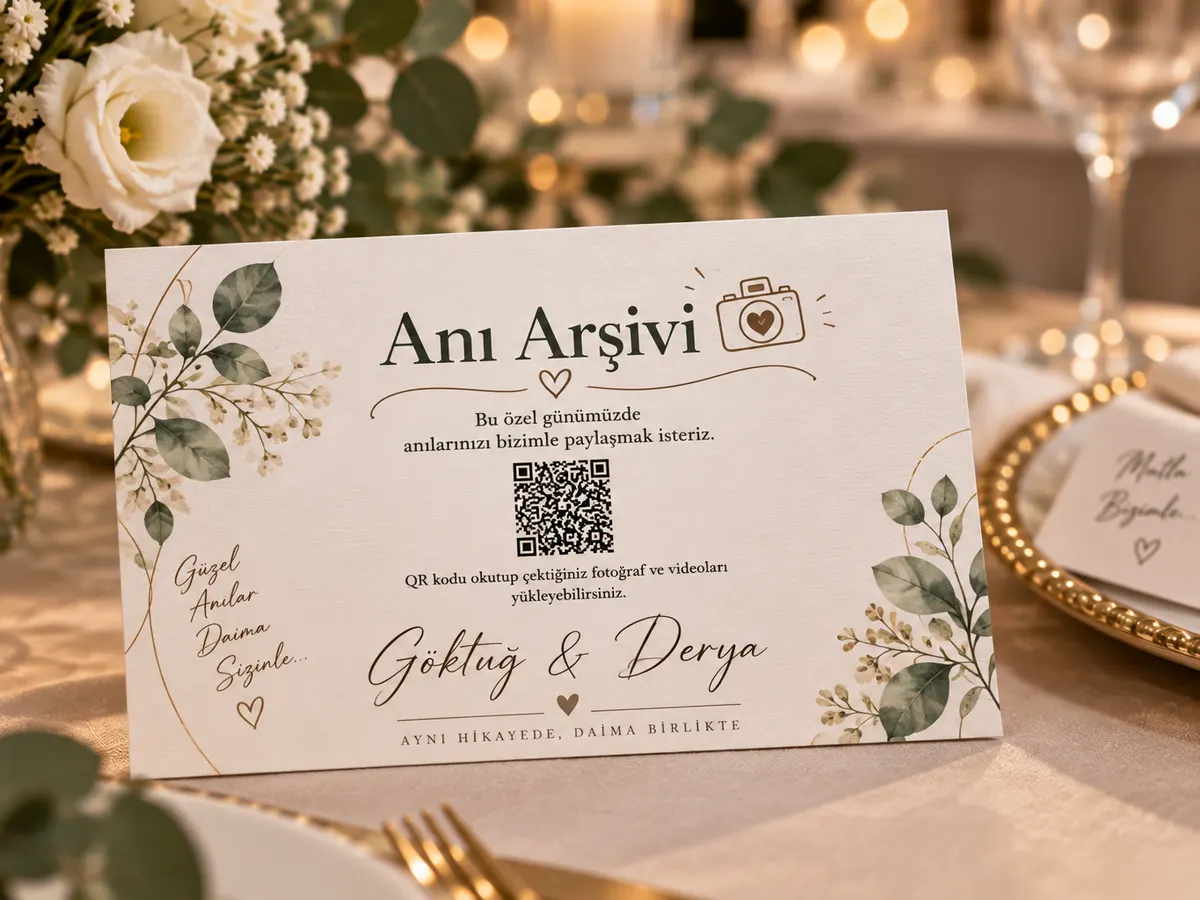
Define the collection before choosing the tool
An internal staff celebration, a public launch and a family reunion do not have the same audience or publication needs. Write one sentence describing the purpose of the album before opening it. Decide whether it is a private memory collection, a gallery for attendees or a source for a later approved publication selection. This decision informs who receives the link and who reviews the contributions.
The people collecting files may not be the people authorised to publish them. Make this distinction explicit in the event plan. A member of the communications team can prepare an approved selection without distributing every file from the full archive. Attendees should understand the intended use when they contribute, rather than discovering a broader audience after the event.
Assign collection, moderation and archive responsibilities
Give the setup task to one named organiser. Identify who will answer basic guest questions during the event and who will inspect content if approval is enabled. Finally, name the person responsible for downloading and checking the archive. A small gathering may have one person handling all three tasks; a larger event benefits from a clear handover between them.
Avoid sharing account credentials simply to help an attendee scan a code. A helper can explain the guest flow without managing the organiser’s account. Prepare a short troubleshooting sequence: does the camera recognise the code, does the page open, and does the upload finish? These questions make support more useful than treating every problem as a broken QR code.
Choose one album or several based on access needs
A multi-session event may include a welcome reception, workshops, meals and a closing celebration. One album can simplify communication when these sessions share an audience and an archive owner. Separate albums may be clearer when groups have different visibility expectations or when different teams need separate handovers.
Do not split the collection simply because a schedule has many headings. Equally, do not force unrelated audiences into a single public gallery for convenience. Explain the chosen scope in the link message and on the printed materials. If several codes appear on a badge or event programme, label the photo destination separately from schedules, surveys and venue information.
Make the invitation fit the physical setting
A tabletop card is read at close range; a projected code may need to be recognised from the back of a room. Test these placements independently. Use the actual display, print material and expected lighting where possible. A design that works on your laptop is not proof that it will work on a distant screen during a crowded session.
Attendees reading an email or a chat message on their phone should also receive a clickable link. Ask for one clear action rather than listing every feature. A short invitation to share selected moments is enough. Leave time for people to participate after the event, provided the package upload window supports your planned schedule.
Separate participation from publication permission
A guest may be happy to share a photograph with colleagues while not wanting it used in advertising. A family may want an image removed from the shared selection. Keep a clear contact route for these requests. Review the event’s access and approval settings before contributions begin, and explain the intended audience in plain language.
For corporate events, coordinate participant information and publication decisions with the responsible team. Do not collect unnecessary personal details simply because a photo album is available. If the event involves children or sensitive settings, take particular care with visibility and sharing expectations. This guide describes a collection workflow; it does not replace the published service terms or your organisation’s own obligations.
Evaluate the process using your own evidence
After the event, record the actual number of contributors and completed files if those figures are available to you. Note where people needed help and whether the printed instructions were visible. These observations can improve the next event’s placement, wording and timing. Do not describe an example calculation as a measured conversion result.
The English guides explain the service, but the current interface and checkout are primarily Turkish and offers are displayed in Turkish lira. Test the live demo with your team before committing to an international event. Confirm any language or purchase requirement with support rather than assuming that an English page establishes availability in every market.
A practical capacity estimate with visible assumptions
Start with three inputs: the number of invited guests, the share you expect to contribute, and the number of files each contributor might send. For example, 120 guests multiplied by an assumed 40 percent participation rate and five files each gives 240 files. This is an illustration, not a measured customer result. Change each assumption to reflect your own event rather than treating the example as a promise.
Repeat the calculation with a higher participation assumption to understand the range. Then consider storage separately. A collection of short photographs and a collection of long videos can have the same file count but very different storage needs. Review sample files from the kinds of phones your group uses. Compare media allowance, storage and access periods together on the packages page. Leave some capacity available for late contributions instead of planning to fill every limit exactly.
Test the entire journey before printing
Print one sample card on the material you intend to use. Place it where a guest would encounter it and scan it with more than one phone. Check the actual event name after opening the link; a sample design must not accidentally send guests to the shared demo. Upload a test file, confirm completion and inspect the gallery visibility. Remove the test content when you are finished.
Try venue Wi-Fi and mobile data separately. Recognising a code is not the same as opening the page, and opening the page is not the same as completing an upload. If connectivity is weak, prepare a direct link guests can use later. A message containing a clickable link is also easier for someone reading on the same phone than an image containing only a QR code. Keep the instruction beside the code short and specific.
Make an archive plan before the access period ends
Name one person who will download and check the finished collection. Set a date before the package access period expires rather than leaving the task until the final evening. After downloading, open files from different parts of the event and play several videos with sound. Keep the complete collection separate from a smaller selection intended for family viewing or publication.
Use clear folder names containing the date and event name. Store a second copy on a separate device or storage service, and periodically confirm that both copies remain readable. The online album is a collection and viewing tool within a defined service period; your long-term archive should not depend on remembering a single temporary link. Tell the people responsible for the event where the approved archive is kept without making private access information public.
Illustrative event workflow
An organiser opens a collection for a team celebration, labels the photo code separately from the programme and appoints an archive owner. After the event, the communications team reviews a publication selection while the archive owner downloads and checks the complete collection. This is an illustrative scenario, not a customer case study.
Illustrative scenario; not a verified customer testimonial.
Frequently asked questions
Do guests need to install an app?
Guests open the event link in their phone browser. They do not need to install an app or create a guest account. The organiser uses a separate management interface to configure and manage the event.
What does the QR code contain?
The code opens the event address. It does not store the photographs itself. Uploading files, viewing the gallery and downloading the archive are separate steps handled by the service behind that address.
Can guests upload videos?
Video upload is supported alongside photographs. When choosing a package, consider both the number of media files and the storage allowance. A long video can use considerably more storage than a photograph.
Can someone contribute without taking photos?
Guests can leave a written note or a voice recording. A simple prompt, such as a favourite shared memory, gives people another way to contribute without turning the celebration into a photography assignment.
Does scanning the code require an internet connection?
A camera can recognise a printed code without uploading anything. Opening the event page and sending files require connectivity. Guests can keep their files and use the link later while the upload window remains open.
Will every uploaded image appear immediately?
Visibility depends on the event settings and whether approval is enabled. Test the intended configuration before inviting guests, especially if you plan to display a gallery on a screen during the event.
Is the gallery public?
The service provides gallery access codes and optional approval controls. Configure these for your event and explain the intended audience to guests. Remember that recipients may forward links or access information.
How many files should I plan for?
Estimate attendance multiplied by an assumed participation rate and files per contributor. These are planning assumptions, not guaranteed results. Check storage requirements separately and leave room for unexpected contributions.
Can guests contribute after the celebration?
They can use the same link while the package upload period is active. Include a clear deadline in your follow-up message and check the dates in the management panel before sending reminders.
Is the album stored forever?
Do not assume permanent hosting. Upload, gallery and archive access depend on the selected package. Download your files within the available period and keep your own backups for long-term preservation.
Can I try the guest experience first?
Use the linked live demo to explore the flow. It is a shared demonstration, so use test material rather than private family photographs or personal information. Check the actual interface before committing.
Is the checkout fully localised for international customers?
These English guides explain the service, but the current purchase and management experience is primarily Turkish and package prices are shown in Turkish lira. Check the demo and contact support if language is essential to your event.
Can I use guest photographs in public marketing?
Uploading to a private event album does not automatically grant permission for advertising or public distribution. Agree the intended use with contributors and people shown in the images before publishing a separate promotional selection.
How do I verify my downloaded archive?
Open a selection of photographs and play several videos after downloading. Confirm that the files you expect are present, then keep another copy on a separate storage medium. A downloaded filename alone is not a complete verification.
Where can I check prices and service terms?
The packages page contains the available offers and limits. The legal centre contains the published service and refund documents. Read the current information before purchasing; these planning guides do not replace those terms.